
ViralSpeak AI Review (2026): OTOs, Coupon, Bonus & Honest Test

Thinking about buying ViralSpeak AI? I tested this AI video generator hands-on. Discover the truth about its viral street interviews, the $14.94 lifetime deal, and the hidden limitations before you spend your money.

Santonu Sarker Santo

Santonu Sarker Santo

A.I. ToolsPublished Updated 20 min read

This review contains affiliate links. If you buy through them, I may earn a commission at no extra cost to you, and it never changes my verdict. How I make money

ViralSpeak AI review featured image

Faceless channels are everywhere right now, and so is the hype around them. The trouble starts when you try it yourself. Most AI video tools want a monthly subscription, a carefully written prompt, and patience with voices that still sound stiff. Street interview and podcast clips are even harder, because you need two believable people talking to each other.

I went into this ViralSpeak AI Review with one question: can an app that costs less than a lunch really produce the street interview and podcast clips that keep filling my Shorts feed? I logged into the dashboard, made videos in all four formats, and walked through the checkout to see what the upsells ask for.

Here is what worked, what fell short, and the exact version I would pay for. Everything in this ViralSpeak AI review comes from my own hands-on test, checked against the sales page and the vendor's launch documents. You can read more about how I test tools on 1Markit.

Editor's Quick Verdict: ViralSpeak AI Review

  • What it is: A cloud app that turns one topic into short AI street interviews, podcasts, standup clips and talking avatar videos.
  • Who it's for: Faceless YouTube Shorts, TikTok and Reels creators, plus small agencies making short clips.
  • The catch: Front-end clips are short (about 6 to 15 seconds), and the seven upsells are thinly explained.
  • My verdict: Buy the $14.94 front end. Add OTO1 (Unlimited) only if you post daily. Skip the rest for now.
  • My rating: 4.3 out of 5
ViralSpeak AI review product image showing the four AI video formats
ViralSpeak AI review: the app bundles four short-form video styles into one dashboard.
Table of contents
  1. ViralSpeak AI Review at a Glance
  2. The Problem ViralSpeak AI Tries to Fix
  3. What Is ViralSpeak AI?
  4. How Does ViralSpeak AI Work?
  5. Inside the Dashboard
  6. ViralSpeak AI Features
  7. Sample Output Videos
  8. My Honest Experience
  9. Demo Video
  10. ViralSpeak AI vs Monthly AI Video Tools
  11. Pricing and Coupon Code
  12. ViralSpeak AI OTOs
  13. Pros and Cons
  14. Who Should Buy It
  15. Refund Policy and Support
  16. Final Verdict
  17. FAQs
  18. ViralSpeak AI Bonuses

ViralSpeak AI Review at a Glance

Product nameViralSpeak AI
CreatorRudy Rudra
Launch dateNovember 13, 2026, 10:00 AM EST
Front-end price$14.94 one-time (moves to $24.95 later in the launch)
CouponVSPEAK3 for $3 off
Video formatsAI Street Interview, AI Podcast, AI Standup, AI Talking Avatars
PlatformCloud based, works in any browser (Windows, Mac, phone)
ExportReady for YouTube Shorts, TikTok, Instagram Reels, Facebook
Upsells7 OTOs (I recommend only OTO1)
Refund30-day money-back guarantee
SupportVendor help desk (supportsoftware.tawk.help)
Best forFaceless creators, Shorts and TikTok channels, small agencies
Official siteGet ViralSpeak AI here
My rating4.3 / 5

ViralSpeak AI OTO List at a Glance

OfferPriceMy call
Front End: ViralSpeak AI$14.94Buy
OTO 1: Unlimited Edition$47 to $67Buy if you post daily
OTO 2: Pro Edition$65 to $67Wait
OTO 3: AI Workers Edition$97Wait
OTO 4: AI Ranker Edition$47Skip for now
OTO 5: Traffic Edition$37Skip for now
OTO 6: Agency Edition$97Agencies only
OTO 7: Whitelabel Edition$197Not for beginners

Full details for each upgrade are in the OTO breakdown later in this ViralSpeak AI review. Prices can change during launch week.

How I Scored It

AreaScoreWhy
Ease of use4.6Menus and presets, no prompt writing
Output realism4.5Natural faces and close lip sync
Value for money4.6One-time price for four formats
Video length options3.6Short clips on the front end
Upsell clarity3.2Seven OTOs with thin descriptions

Get the $14.94 Lifetime Deal (Code VSPEAK3 Saves $3)

The Problem ViralSpeak AI Tries to Fix

Scroll Shorts or TikTok for ten minutes and you will see the same formats over and over. A host stops someone on the street and asks, "Would you take one crore or true love?" Two people argue on a podcast mic for fifteen seconds. A comic lands one joke and the crowd laughs. These clips pull views because they are quick, human and easy to share.

The trouble is making them. You need a person on camera, a second person to respond, a location, a mic, and then editing. If you run a faceless channel, that whole style has been off-limits.

That gap is what ViralSpeak AI goes after. You give it an idea, and it writes the script, casts the AI people, adds the voices, syncs the lips, and hands back a vertical video you can post. In my ViralSpeak AI review testing, the people looked real enough that a casual viewer scrolling past would not stop to question it.

What Is ViralSpeak AI?

ViralSpeak AI is a one-time-payment AI video app that creates realistic street interviews, podcasts, standup clips and talking avatar videos from a single topic, with no camera or face needed.

How Does ViralSpeak AI Work? Idea to Video in 4 Steps

The workflow is the same for every format, which made my ViralSpeak AI review test easy to start from the first login.

  1. Drop an idea

    Type a topic, theme or question. One line is enough.

  2. Get the script

    The AI writes a full script from that topic. You can edit it or write your own.

  3. Pick the cast and style

    Choose characters, voice, tone, scene, aspect ratio and language from menus.

  4. Render and download

    You get a finished, lip-synced video ready for Shorts, TikTok or Reels.

You never touch a timeline editor. Everything happens through menus and dropdowns, and the finished file goes straight to your downloads.

Inside the ViralSpeak AI Dashboard

After login, the left menu shows the Dashboard, AI Street Interview, AI Podcast, AI Standup and AI Talking Avatar, plus Tutorials and Updates. For this ViralSpeak AI review, that's the whole app I had to learn. There are no hidden settings pages to hunt through.
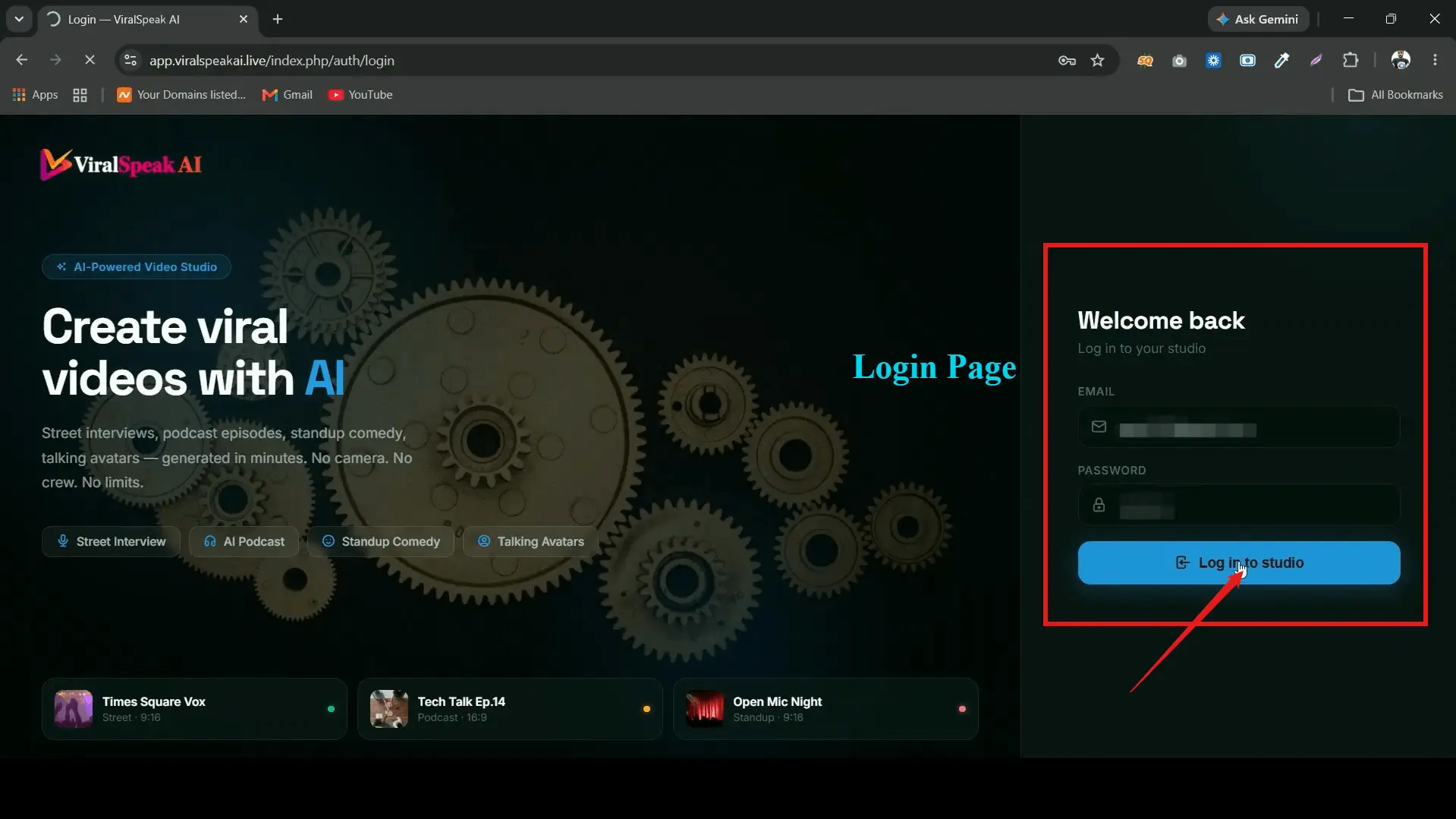
ViralSpeak AI review of the dashboard after login with the four video creation modules
The main dashboard. Each of the four formats has its own module in the side menu.

One detail I liked during this ViralSpeak AI review: the tutorials sit right inside the dashboard, so a beginner does not need to leave the app to learn it. Updates are posted in the same place, which tells me the vendor plans to keep adding to it after launch.
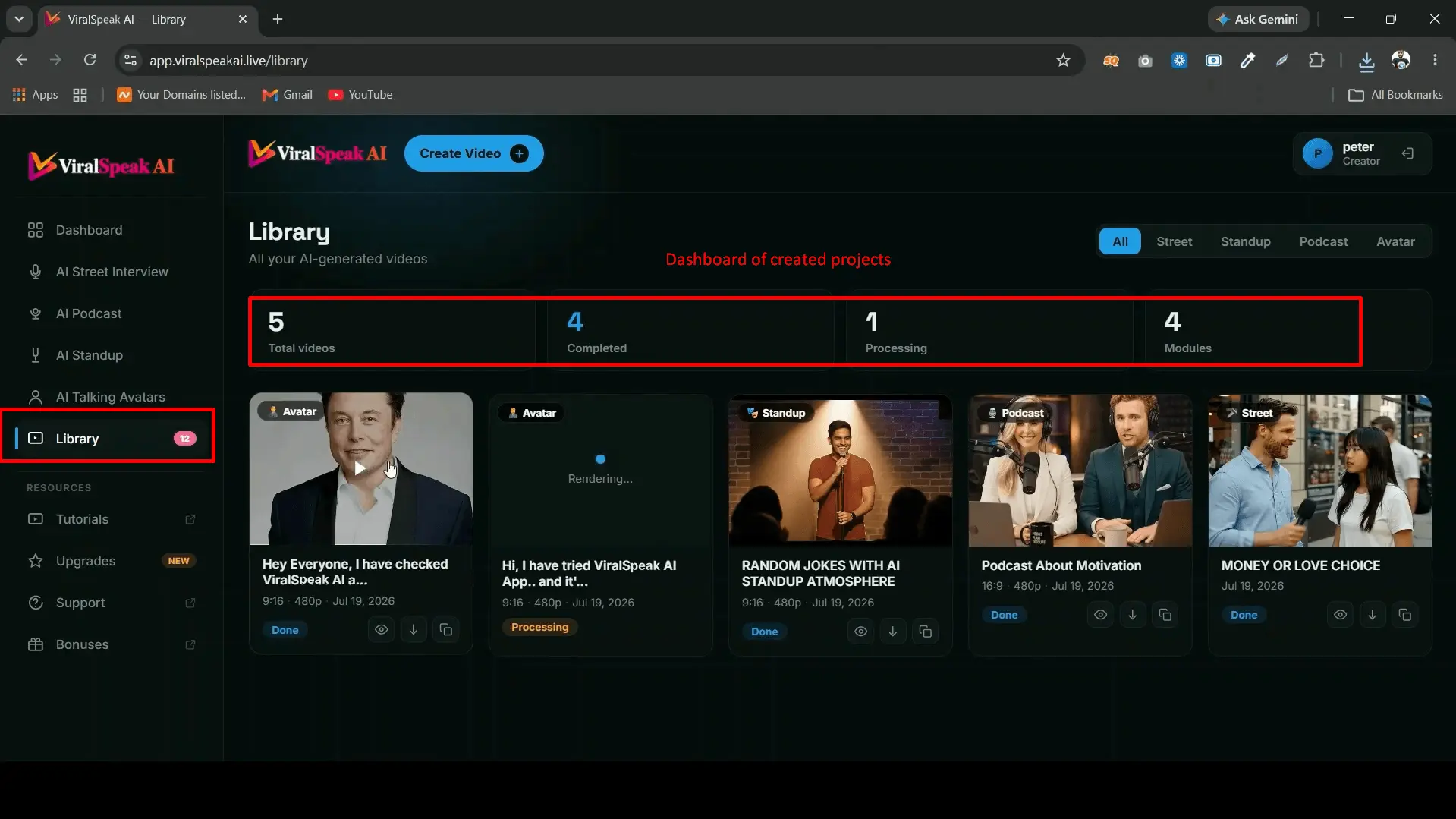
ViralSpeak AI video library storing generated clips in the cloud
The library keeps every video you render, so you can re-download clips later.

ViralSpeak AI Features: I Tested All 4 Video Formats

This is the core of my ViralSpeak AI Review. I ran each module with real topics I would post on a faceless channel.

1. AI Street Interview

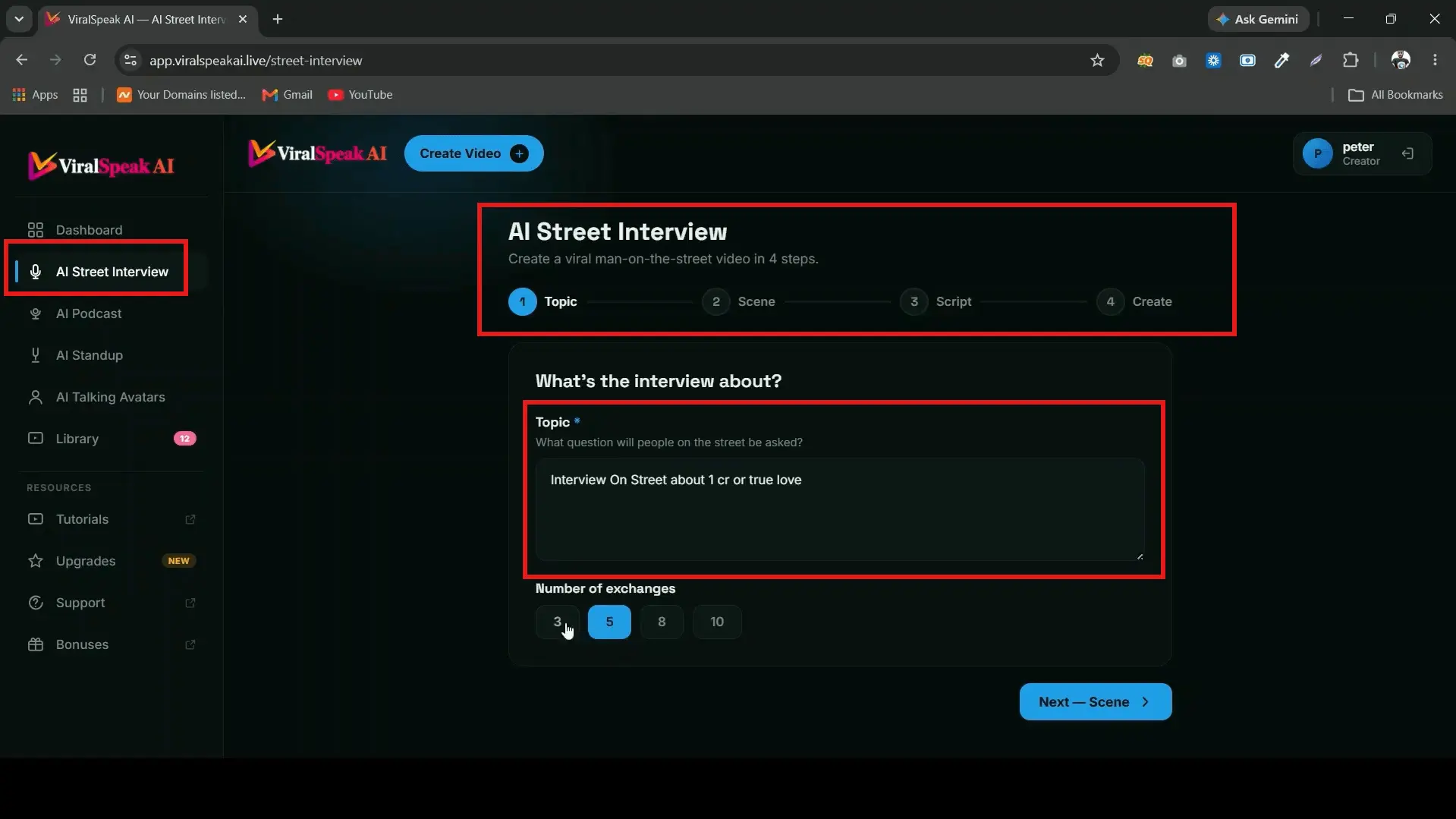
This is the module most people will buy the app for, and it is the strongest of the four. You enter a topic, such as "Street interview: one crore or true love?", and the AI writes the questions and the answers.
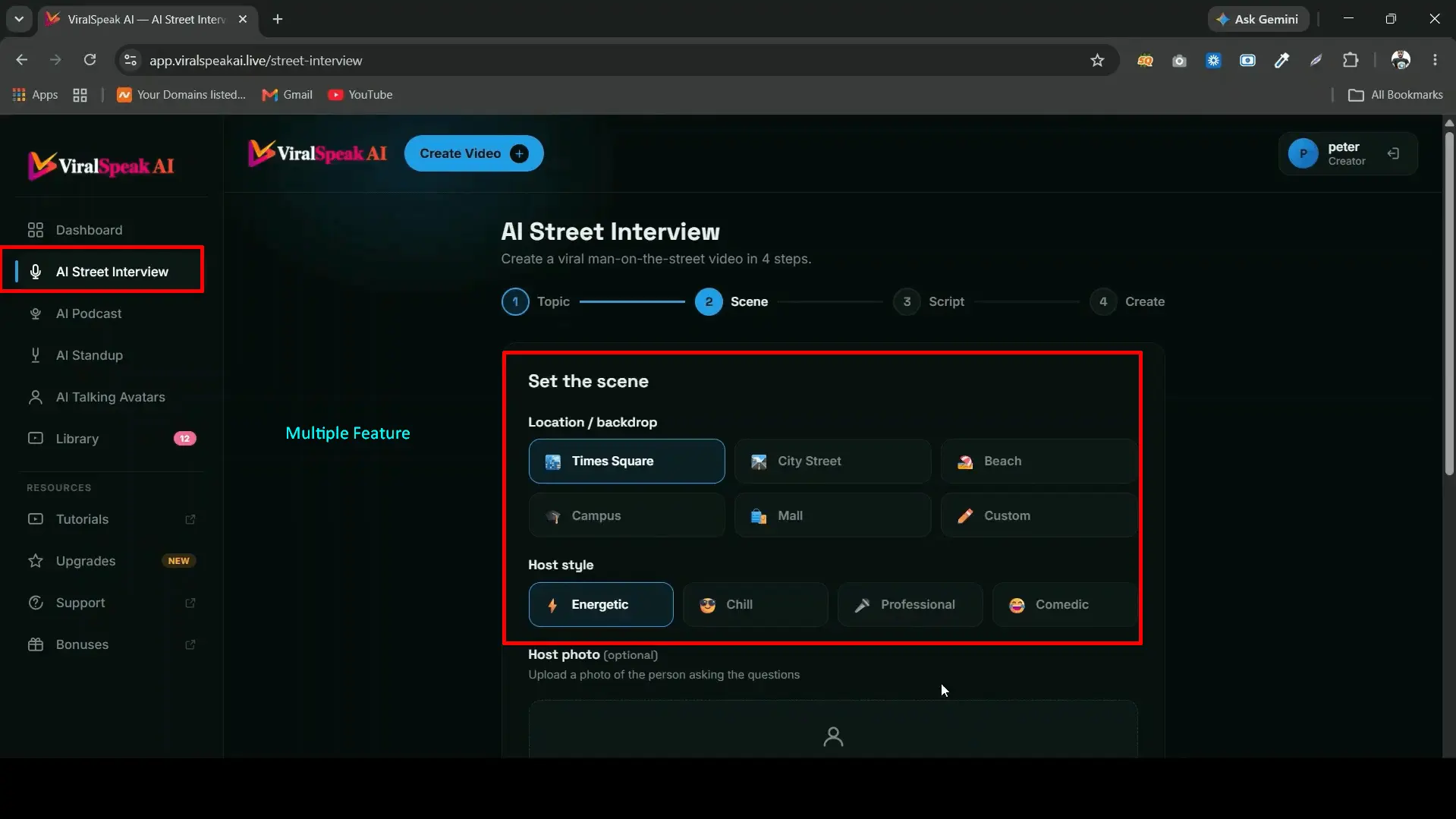
ViralSpeak AI street interview settings for topic, scene, host photo and language
Street interview settings: topic, scene, host and respondent photos, aspect ratio and language.

What I liked here:

  • Scene choice. Street, beach or campus. Each one changes the background and the feel of the clip.
  • Your own photos. You can upload a host photo and a respondent photo. I used my own photo as the host, and it worked well.
  • Script from topic. Type the topic, and the full back-and-forth gets written for you.
  • Format control. Pick portrait, landscape or square, and choose the language.
Finished ViralSpeak AI street interview video with AI host and respondent
A finished street interview clip. The lip sync matched the audio closely.

The output surprised me more than anything else in this ViralSpeak AI review. The faces, mouth movement and street background looked far more natural than what I have pulled from general AI tools where you write the whole prompt yourself. For a 15-second Short, it passes the scroll test.

2. AI Podcast

The podcast module builds those two-host clips with mics in frame. You set a theme (I tried a motivational podcast), pick the language, the tone and the duration, then choose which characters host the episode.
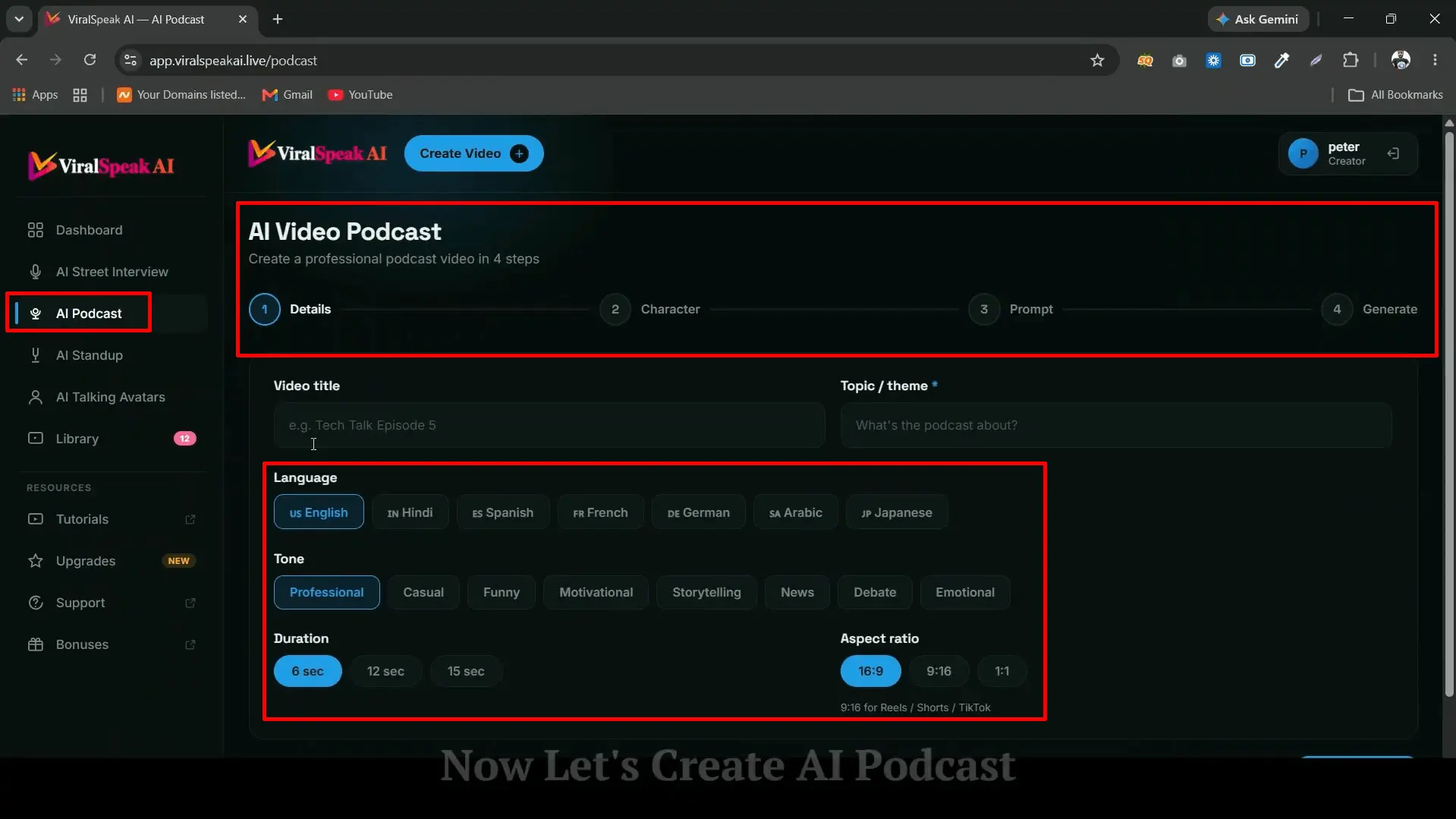
ViralSpeak AI podcast module with theme, language, tone, duration and character options
Podcast settings: theme, language, tone, duration and host characters.

Language support covered English, Hindi and French in my tests, with more in the list. The aspect ratio is set for Shorts, TikTok and Reels.

The biggest limit in my ViralSpeak AI review: on the front end, duration options are short, around 6, 12 and 15 seconds. That is fine for a clip, but it is not a full podcast episode. If you want long-form audio or video, this will feel tight. The sales page mentions longer videos as an upgrade, so plan for that.

3. AI Standup Comedy

Give it a comedy topic and pick an avatar. The AI writes the joke and performs it on stage. You can change the comedy tone, the stage background and even the audience reaction, which adds a lot to the timing.
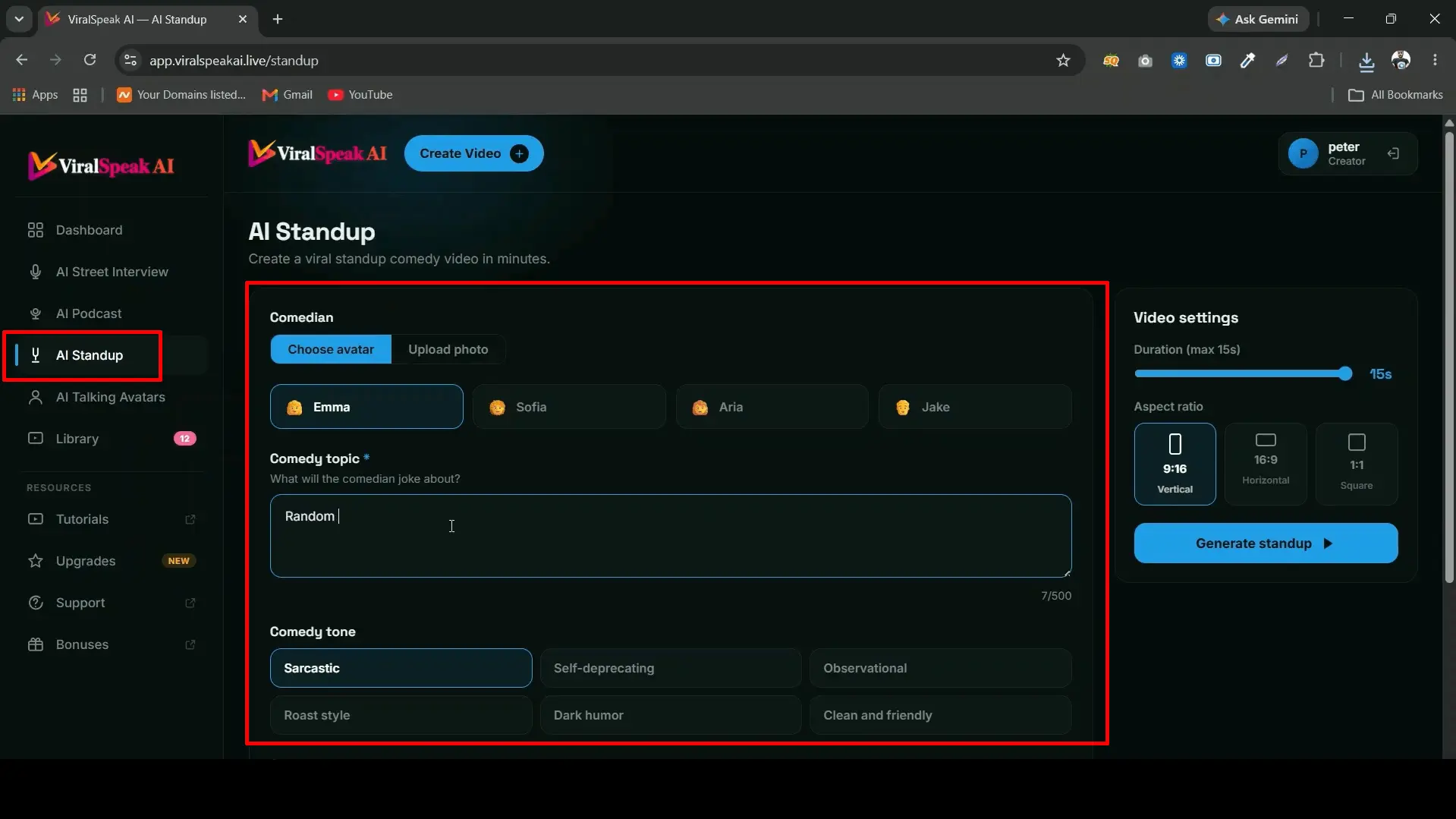
ViralSpeak AI standup comedy generator with stage background and audience reaction settings
Standup settings: topic, avatar, comedy tone, stage and audience reaction.

Comedy is the hardest format for AI to get right, and my ViralSpeak AI review confirmed it. Some jokes landed, some were flat, which is normal. I would edit the script before rendering rather than use the first draft every time.

4. AI Talking Avatars

Upload any photo, add a script, and the photo talks. You pick the tone, style and language. I tested it with my own picture and with a stock portrait, and both rendered quickly.
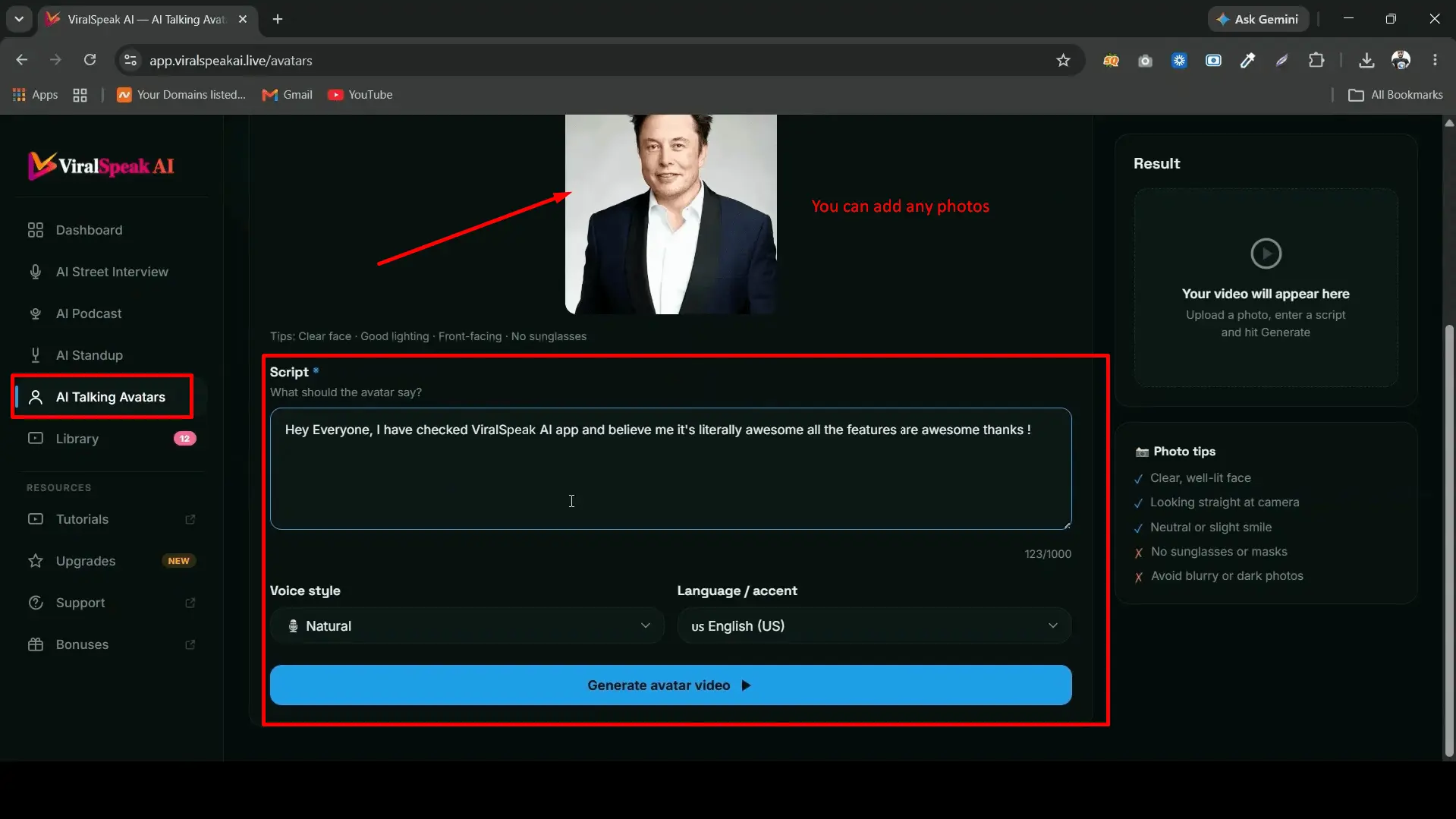
ViralSpeak AI talking avatar created from an uploaded photo and script
Talking avatar from a single photo, with tone, style and language options.

In my ViralSpeak AI review, this one proved useful beyond viral clips. Product explainers, course intros and quick tips all work with a talking avatar, and you can keep the same face across a whole series.

ViralSpeak AI Sample Output Videos

Screenshots only tell half the story in any ViralSpeak AI review, so here are real clips rendered inside ViralSpeak AI. Press play and judge the lip sync and voices yourself.

AI Street Interview: "One crore or true love?" (8 seconds)

AI Talking Avatar from a single photo (10 seconds)

The street interview clip shows the format I rated highest in this ViralSpeak AI review. The avatar clip shows what a single photo and a short script can produce.

Get the $14.94 Lifetime Deal (Code VSPEAK3 Saves $3)

My Honest ViralSpeak AI Review Experience

I didn't just read the sales page. I logged in, ran every module with topics I would really post, and went through the checkout to see each upsell. Here is what I tried, what I found, and how I rate each part.

What I testedWhat I triedWhat I foundMy take
DashboardLogged in and opened the built-in tutorialsSimple menu. I made my first clip within minutes.Beginner friendly
AI Street InterviewSeveral topics across street, beach and campus scenesLip sync was the standout. Beach and campus felt fresher than the street.Best module
Own photo as hostUploaded my own picture as the interviewerMy face held up well across clips, which helps build a recognizable channel.Very useful
AI PodcastMotivational theme in English, Hindi and FrenchVoices sounded natural. Short duration options were the first real limit.Good for clips
AI StandupDifferent comedy tones and audience reactionsAudience reaction helps timing. I rewrote about half the jokes.Edit before render
AI Talking AvatarsMy photo and a stock portrait with a short scriptQuick renders. Good for tips and product explainers.Solid extra
Checkout and OTOsWent through the front end and every upsell pageThe front end is the real value. Most upsells need better descriptions.Front end + OTO1

What Stood Out During My Tests

The app is quickest when you let it write the script and only tweak the lines that feel off. Writing every script from scratch slows you down and takes away the main advantage. Changing the scene or tone for each clip also kept my test feed from looking repetitive, which matters when you plan to post several times a day.

ViralSpeak AI Demo Video

If you want to see the dashboard and the output before buying, this walkthrough pairs well with my ViralSpeak AI review.

ViralSpeak AI demo (5:57): dashboard walkthrough and sample outputs. Watch on Vimeo

ViralSpeak AI vs Monthly AI Video Subscriptions

Before this, I made AI clips with general AI tools on monthly plans. The biggest difference is not the price. It is the preset options.

With a general tool, you write a long prompt and hope it understands what a "viral street interview" looks like. Often it doesn't. ViralSpeak AI already knows the format. Backgrounds, tones, scenes and video types are built in as options, so you choose instead of describe. Someone who has never written a prompt can still make a decent clip.

PointViralSpeak AIGeneral AI video tools
PaymentOne-time from $14.94Monthly subscription
Viral formatsBuilt in (interview, podcast, standup, avatar)You describe them in a prompt
Scene, tone, backgroundPick from menusWrite it yourself
Script writingAuto from topicSeparate step
Beginner friendlyYesLearning curve
Clip lengthShort on front endUsually longer

So the takeaway from my ViralSpeak AI review is simple: for short viral clips, ViralSpeak AI wins on cost and speed. For long videos, a general tool still has the edge.

ViralSpeak AI vs HeyGen vs InVideo AI

These are the two names buyers ask me about most. Here is how they compare for short viral clips.

PointViralSpeak AIHeyGenInVideo AI
Pricing modelOne-time, $14.94 front endMonthly, Creator plan from $29/monthMonthly, Plus plan from about $17 to $28/month depending on billing
Best atViral street interviews, podcasts, standup, avatarsPolished talking avatars and video translationPrompt-to-video with stock footage and voiceover
Viral format presetsBuilt inNot the focusNot the focus
Prompt writing neededVery little, mostly menusScript and avatar setupDetailed prompts work best
Long videosShort on the front endYesYes
Best fitFaceless short-form creators on a budgetBusinesses needing avatar videos at scaleCreators making longer explainer videos

HeyGen and InVideo AI prices were checked in November 2026 and change often. See the HeyGen pricing page and the InVideo AI pricing page for current plans.

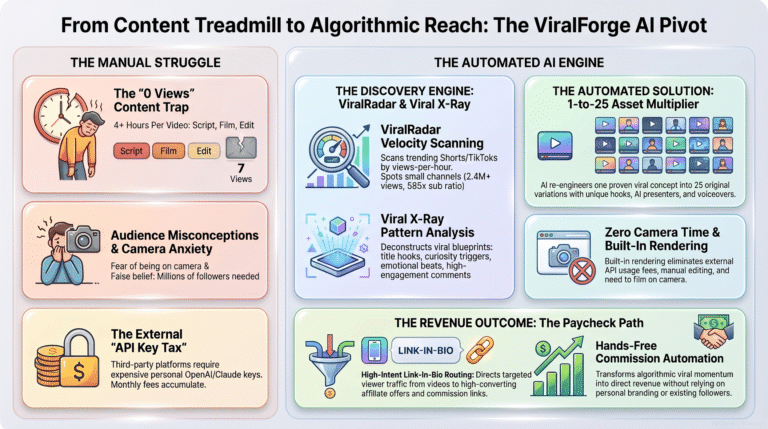
If you need long videos or a polished corporate avatar, a monthly tool still makes sense. If you mainly post short viral clips, ViralSpeak AI covers that for a one-time price. And if you want short videos that carry your affiliate link in every clip, my ViralForge review covers a tool built for exactly that.

Get the $14.94 ViralSpeak AI Lifetime Deal

ViralSpeak AI Pricing and OTOs: What I'd Actually Buy

The front end is a one-time payment. There is no monthly fee on it. After checkout, you will see seven upsells. They are not described in much detail on the sales page, so I went through each upgrade page and sorted them for this ViralSpeak AI review. Green means buy, red means wait or skip.

ViralSpeak AI OTOs: All 7 Upsells and Prices

Here is what each upgrade adds in this ViralSpeak AI review, and whether I would buy it.

Front End$14.94 one-time

ViralSpeak AI

  • All four formats: street interviews, podcasts, standup, avatars
  • Built-in AI script and joke writer with hundreds of voices
  • Two-person conversations and multi-language videos
  • Export for Shorts, TikTok, Reels and Facebook
  • Commercial license, no monthly fee

Buy: the core app

OTO 1$47 to $67

Unlimited Edition

  • Removes usage caps on every video format
  • Unlimited scripts, voices, lip-sync and exports
  • Unlimited projects and cloud storage
  • Faster, priority rendering
  • Future updates included

Buy if you post daily

OTO 2$65 to $67

Pro Edition

  • Custom AI influencer creator and voice cloning
  • Bulk video generator and 3 to 10 character scenes
  • 4K export and a trend finder
  • Brand kit for logo, intro and outro

Wait until you need scale

OTO 3$97

AI Workers Edition

  • A set of around 20 AI assistants in one dashboard
  • Covers sites, funnels, email, copy, SEO and social
  • Extra media tools for images, music and avatars

Wait: outside the core use

OTO 4$47

AI Ranker Edition

  • Automated backlinks and faster indexing tools
  • Training videos included
  • Ranking claims are the vendor's, not tested by me

Skip for now

OTO 5$37

Traffic Edition

  • Traffic-focused add-on
  • Few details shared by the vendor

Skip for now

OTO 6$97

Agency Edition

  • Unlimited client accounts and admin panel
  • Sales materials for selling the service
  • Take client payments by PayPal, Stripe or bank

Agencies only

OTO 7$197

Whitelabel Edition

  • Rebrand the app under your own name and domain
  • Logo and setup handled for you
  • Host it on your server or theirs

Not for beginners

Prices come from the vendor's launch documents and can change during launch week. Check the checkout page before you pay.

My Final Buying Advice

Start with the front end. If you plan to post every day, add OTO1 (Unlimited). Stop there. Buying the done-for-you, traffic and agency upgrades before you know how your videos perform is money spent on guesses. Once your channel picks up and you want more credits, ready-made content or traffic help, you can upgrade later.

ViralSpeak AI Coupon Code

Use coupon code VSPEAK3 on the checkout page for an instant $3 off the front end. Type it into the coupon field before you pay, and the new total shows right away.

Use coupon code

VSPEAK3

for an instant $3 ViralSpeak AI discount on the front end

Get the $14.94 Lifetime Deal (Code VSPEAK3 Saves $3)

One-time payment. 30-day money-back guarantee.

ViralSpeak AI Review: Pros and Cons

Here is my honest ViralSpeak AI review list after using it hands-on.

What I liked

  • Street interview output looks very realistic, with accurate lip sync
  • Four popular viral formats in one app
  • Scripts written from just a topic
  • Use your own photo or any photo for host, respondent or avatar
  • Preset scenes, tones and backgrounds, so no prompt writing
  • Multiple languages, including English, Hindi and French
  • Fast rendering for short clips
  • One-time price, no monthly fee on the front end
  • Tutorials and updates inside the dashboard
  • Commercial license included

What could be better

  • Front-end clips are short (about 6 to 15 seconds)
  • Not built for full-length podcasts or long videos
  • Seven upsells with thin descriptions
  • Comedy scripts sometimes need a rewrite
  • Cloud based, so you need a steady internet connection
  • New product, so long-term support is still unproven

Who Should Buy ViralSpeak AI (and Who Should Skip It)

Based on my ViralSpeak AI review, this tool fits a specific kind of creator. Here is where I think it earns its price, and where it doesn't.

Good fit

  • Faceless YouTube Shorts, TikTok and Reels channels
  • Creators who don't want to be on camera
  • Beginners who have never written an AI prompt
  • Small agencies making short clips for clients
  • Coaches and course sellers who need a talking avatar
  • Anyone tired of paying monthly for AI video

Not a good fit

  • Long-form YouTube creators who need 10-minute videos
  • Full audio podcasters
  • People who want detailed timeline editing
  • Anyone expecting income without posting consistently

Practical Ways to Use ViralSpeak AI

  • Faceless motivation clips. Short podcast-style debates on habits, money mindset or fitness, posted as Shorts and Reels.
  • Tech and affiliate explainers. A talking avatar that walks through a tool or product in under 30 seconds.
  • Street-interview polls for a niche page. "Would you rather" questions that invite comments in your niche.
  • Client work for local businesses. Quick promo clips for a gym, cafe or salon, using the commercial license. Need those local clients first? My ProfitMaps AI review covers a tool built for finding them.
  • Course and coaching intros. A consistent avatar face for lesson intros and tips.

As with everything in this ViralSpeak AI review, results depend on your niche, your posting consistency and your offer. The tool makes the video. You still need a plan for what to post.

A note on responsible use

The people in these videos look real, and that is the point. Still, YouTube, TikTok and Instagram ask creators to label realistic AI-generated content (see YouTube's rules on disclosing altered or synthetic content), so turn that label on when you upload. Also, only use photos you have the right to use. Putting a real person's face into a street interview without their consent can get your account in trouble fast.

Want a longer format that sells for you? My EverPitch Review covers an AI webinar builder that writes, voices and hosts the whole presentation, and short clips from ViralSpeak AI are a good way to send people to it.

ViralSpeak AI Refund Policy and Support

One question I get on every ViralSpeak AI review is about refunds. ViralSpeak AI comes with a 30-day money-back guarantee. The official ViralSpeak AI sales page says that if the videos are not realistic enough for you, you can ask for a full refund within 30 days. It also says you keep the videos you made before the refund.

Support runs through the vendor's help desk at supportsoftware.tawk.help. I'd suggest opening a ticket there rather than relying on social media messages, so you have a record of your request.

Tip from my ViralSpeak AI review: Test all four modules soon after you buy. That leaves plenty of time inside the 30-day window if it doesn't suit your channel.

Final Verdict: Is ViralSpeak AI Worth It?

4.3out of 5

After testing every module, my ViralSpeak AI Review comes down to this: for short, viral-style clips, it does the job well and costs very little. The street interview module alone is worth the front-end price. Realistic faces, matching lip sync, and scripts written from a single line is a lot for $14.94.

To be fair in this ViralSpeak AI review, it is not a long-form video studio. Clips are short on the front end, and the upsell funnel could explain itself better. If you go in knowing that, you will not be disappointed. My advice: grab the front end, add OTO1 if you post daily, and hold off on the rest. Use the 30-day guarantee to test it on your own channel. Want to compare it with other tested picks? Browse my A.I. tools reviews.

Get the $14.94 Lifetime Deal + 30-Day Guarantee

ViralSpeak AI FAQs

What is ViralSpeak AI?

ViralSpeak AI is a cloud-based AI video app that creates street interviews, two-person podcasts, standup comedy clips and talking avatar videos from a single topic. It writes the script, adds AI voices and syncs the lips for you.

How much does ViralSpeak AI cost?

The front end costs $14.94 as a one-time payment during launch. Coupon VSPEAK3 takes $3 off. The price is set to rise to $24.95 later in the launch.

Is this ViralSpeak AI review based on real use?

Yes. I used the app myself, created videos in all four formats, and went through the full checkout and upsell flow before writing this.

Is ViralSpeak AI a lifetime deal?

Yes. The front end is a one-time payment with no monthly fee. Optional upsells are also one-time payments.

Which ViralSpeak AI OTO should I buy?

For most people, the front end is enough to start. If you post daily, OTO1 (Unlimited) is the only upgrade I would add. The other six upsells can wait.

Can I use my own photo in ViralSpeak AI?

Yes. You can upload your own photo as the street interview host, add a respondent photo, or turn any photo into a talking avatar.

How long are ViralSpeak AI videos?

On the front end, clip lengths I saw were short, around 6, 12 and 15 seconds, which suits Shorts, TikTok and Reels. Longer videos are tied to the upgrades.

What languages does ViralSpeak AI support?

It supports multiple languages. I tested English, Hindi and French, and the language list includes others such as Spanish, German and Portuguese.

Do I need a camera or editing skills?

No. Everything runs in your browser. You pick options from menus and download a finished video.

Does ViralSpeak AI have a refund policy?

Yes, a 30-day money-back guarantee. Contact support through their help desk within 30 days of purchase.

Can I sell videos made with ViralSpeak AI?

The front end includes a commercial license, so you can make videos for clients. Agency features come in OTO6.

How do I get the 1Markit bonus?

Buy through my link, then email your receipt to team@1markit.com. We send my 10 playbooks and 5 promo bonuses. For the vendor bonuses, send the same receipt to the ViralSpeak AI support desk.

ViralSpeak AI Bonuses: Everything You Get

Buy ViralSpeak AI through my link and you get four bonus sets at no extra cost: my own 10 playbooks, 5 exclusive promo bonuses, plus the vendor's front-end and OTO bonuses. Here is everything in this ViralSpeak AI review bonus pack.

Part 1: My 10 1Markit Playbooks

  • A.I. Clone Cash Machine playbook, part of my ViralSpeak AI Review bonus

    A.I. Clone Cash Machine

    Set up an A.I. clone that makes content for you
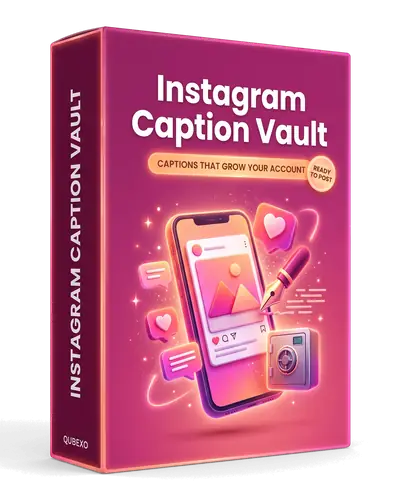
  • Instagram Caption Vault playbook, part of my ViralSpeak AI Review bonus

    Instagram Caption Vault

    Ready captions that help an account grow
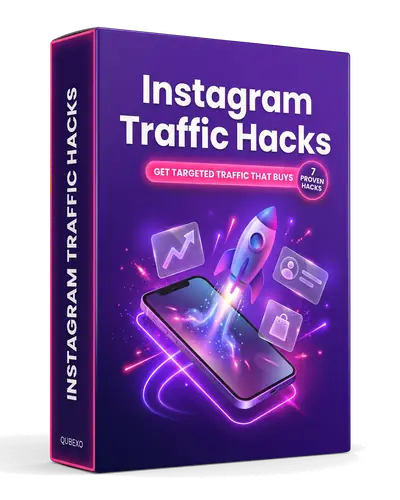
  • Instagram Traffic Hacks playbook, part of my ViralSpeak AI Review bonus

    Instagram Traffic Hacks

    Get targeted visitors from Instagram
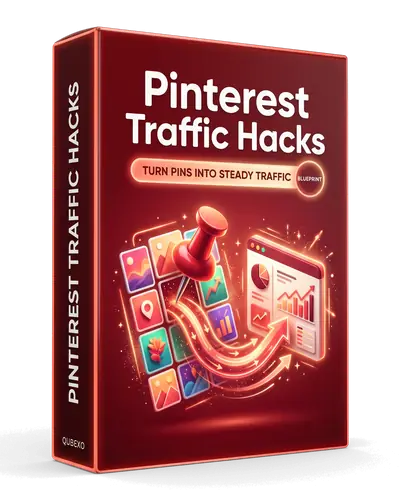
  • Pinterest Traffic Hacks playbook, part of my ViralSpeak AI Review bonus

    Pinterest Traffic Hacks

    Turn pins into steady traffic
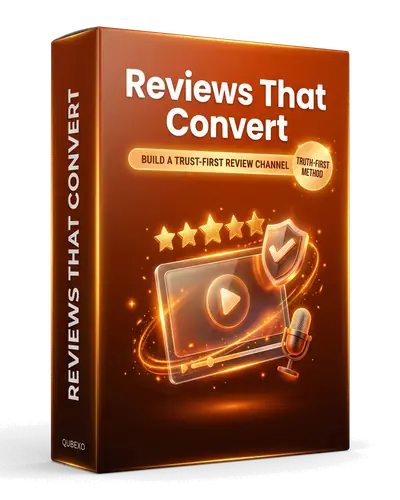
  • Reviews That Convert playbook, part of my ViralSpeak AI Review bonus

    Reviews That Convert

    Build a trust-first review channel
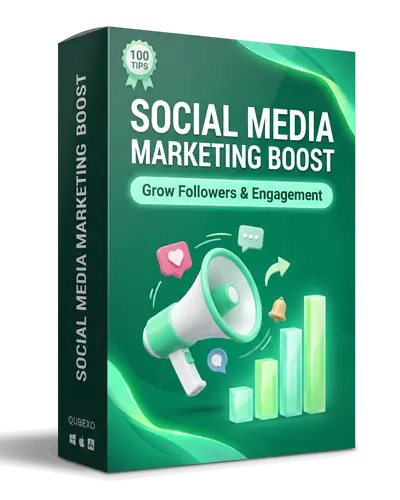
  • Social Media Marketing Boost playbook, part of my ViralSpeak AI Review bonus

    Social Media Marketing Boost

    Grow followers and engagement
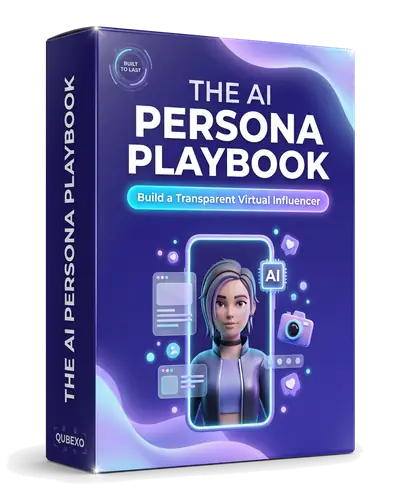
  • The AI Persona Playbook playbook, part of my ViralSpeak AI Review bonus

    The AI Persona Playbook

    Build a transparent virtual influencer
  • The Faceless Channel Playbook playbook, part of my ViralSpeak AI Review bonus

    The Faceless Channel Playbook

    Create and auto-post videos without filming

  • The Patient Domain Playbook playbook, part of my ViralSpeak AI Review bonus

    The Patient Domain Playbook

    Grow a website the calm, steady way

  • The Product Finder Guide playbook, part of my ViralSpeak AI Review bonus

    The Product Finder Guide

    Find high-commission products fast

Part 2: 5 Exclusive Promo Bonuses

These five are reserved for this ViralSpeak AI review launch only and come from me along with the playbooks above.

  • BONUSVideo Marketing Secrets1Markit

    Video Marketing Secrets

    Plan, publish and promote videos that bring in viewers

  • BONUSYouTube Marketing Primer1Markit

    YouTube Marketing Primer

    The basics of growing a YouTube channel the right way

  • BONUSDominate Social Marketing1Markit

    Dominate Social Marketing

    Grow your reach across the big social platforms

  • BONUSSocial Marketing Tips1Markit

    Social Marketing Tips

    Quick, practical tips for better social posts

  • BONUS99+ Transparent PNG Pack1Markit

    99+ Transparent PNG Pack

    Ready graphics for thumbnails, covers and posts

Part 3: Vendor Bonuses With the Front End

As part of this ViralSpeak AI review offer, the vendor team adds these three when you buy the front end.

  • BONUS30-Day Faceless Launch Plan1Markit

    30-Day Faceless Launch Plan

    A topic, format and hook for every day of your first month

  • BONUSThe Hook Vault1Markit

    The Hook Vault

    40 fill-in-the-blank opening lines for short videos

  • BONUSThe Algorithm Cheat Sheet1Markit

    The Algorithm Cheat Sheet

    What really moves reach on Reels, TikTok and Shorts

Part 4: Vendor Bonuses With Any OTO

Pick up any upgrade from this ViralSpeak AI review breakdown and the vendor adds five more.

  • BONUSFaceless Agency Starter Kit1Markit

    Faceless Agency Starter Kit

    Pricing, outreach scripts and a weekly delivery routine

  • BONUSThe Niche Selector1Markit

    The Niche Selector

    Score any niche before you commit to it

  • BONUSCaption Formula Handbook1Markit

    Caption Formula Handbook

    A simple caption structure plus 30 ready openers

  • BONUS200 Faceless Content Ideas1Markit

    200 Faceless Content Ideas

    40 topics in each of five popular niches

  • BONUSThe Repurposing Engine1Markit

    The Repurposing Engine

    Turn one video into posts for six platforms

How to Claim Your ViralSpeak AI Review Bonuses

  1. Clear your browser cookies. This makes sure your purchase is tracked to my link.
  2. Buy through my link. Use any ViralSpeak AI button on this page.
  3. Email your receipt. Send your purchase receipt to team@1markit.com.
  4. Get Parts 1 and 2. We check your order and send my 10 playbooks and the 5 promo bonuses to the same email.
  5. Get Parts 3 and 4. Send the same receipt to the ViralSpeak AI support desk, and the vendor sends the front-end and OTO bonuses that match your purchase.

Get ViralSpeak AI and my bonus pack

Disclosure: this ViralSpeak AI Review contains affiliate links, disclosed in line with the FTC Endorsement Guides. If you buy through them, I may earn a commission at no extra cost to you. This review is based on my own use of the app plus the sales page and launch material. Vendor results aren't typical, and I can't promise you any income. 1Markit is independent and isn't owned or endorsed by ViralSpeak AI, Launchpad, TikTok, Instagram or YouTube. Read my full affiliate disclosure.
More reviews you might like

Leave a comment

Your email address stays private. Links aren’t allowed in comments. See the Privacy Policy for how comments are stored.